
The Loud format
A Loud bundle carries your audio files, song details, likes, playlists, and optional covers into Codec. Use it to move a collection or prepare an import from another tool.
The artwork sidecars and additive server imports described here require Codec server v0.1.5 or later. See the hosting guide for setup.
What is in a bundle?
collection.loud.zip is an ordinary ZIP containing files. loud.import.v1 is the format identifier inside its JSON manifest. Neither is an audio codec. The Loud names remain for compatibility; the app is Codec.
my-collection/
├── loud-import.json
├── audio/
│   └── song.mp3
├── artwork/                 optional original JPEG/PNG covers
├── track-artwork.json       optional track-cover sidecar
└── playlist-artwork.json    optional playlist-cover sidecar
Keep folder paths intact. Use one main manifest: preferably loud-import.json, or codec-import.json. Browser/server selection prefers those names in that order, then an unambiguous JSON document declaring loud.import.v1. Filenames are case-sensitive; conflicting candidates are rejected.
A small, valid manifest
Save this as loud-import.json, or download the example. The filename, song details, and example:song-1 identity are placeholders: supply your actual audio and a stable, unique identity. This example passes the schema; importing it also requires the referenced file.
{
  "schema": "loud.import.v1",
  "source": { "base_path": "." },
  "tracks": [
    {
      "file": "audio/song.mp3",
      "fingerprint": "example:song-1",
      "title": "Example Song",
      "artist": "Example Artist",
      "liked": true
    }
  ],
  "playlists": [
    {
      "name": "My Mix",
      "mode": "append",
      "tracks": [{ "fingerprint": "example:song-1" }]
    }
  ]
}
Only schema and tracks are required at the top level; each track requires file. A playlist requires name; empty playlists are supported.
Imports accept MP3, M4A, FLAC, and WAV files. Playback depends on the encoding inside each file and the client platform.
Optional song fields include title, artist, album, album artist, genre, year, track/disc numbers, explicit flag, duration, identifiers, source URLs, likes, playlist names, and artwork. duration_ms takes precedence over duration_seconds. See the main JSON Schema for exact keys, types, and limits.
Where paths start
Main-manifest files use source.base_path, relative to the manifest's folder. With ".", the example resolves to audio/song.mp3; with "files", to files/audio/song.mp3. Omitting it uses the manifest folder. Every artwork sidecar has its own base_path; it never inherits the main one. Use relative paths inside the bundle. ZIP and artwork paths cannot escape it.
Song identity, likes, and playlists
A fingerprint identifies a song exactly. Preserve existing Codec fingerprints when migrating: different fingerprints remain different tracks even with identical titles. Without one, identity comes from ISRC, MusicBrainz recording ID, Spotify track ID, YouTube video ID, then normalized title + artist + album, in that order.
Playlist references use fingerprints, identifiers, or audio filenames; they do not copy audio. Explicit playlist order comes first; per-track playlist memberships append omissions. Each track appears at most once per playlist: repeated occurrences collapse to the first position. Exact trimmed playlist names match existing playlists; ambiguous names fail. Rename an incoming playlist to keep it separate.
Server imports preserve existing metadata, likes, covers, and playlist order. Incoming likes add likes; missing playlist members append in incoming order. Repeated imports reuse matching songs and memberships. Keep mode: "append", the default. Local imports also support "replace" for playlist membership; server merges always append.
Covers and checksums
Put an artwork descriptor directly on a track or playlist, or use a sibling sidecar:
track-artwork.json:s2y.track-artwork.v1, withtracksentries containing an exactfingerprintandartwork.playlist-artwork.json:s2y.playlist-artwork.v1, withplaylistsentries containingnameandartwork.
These examples match the manifest above. The track cover targets example:song-1, the song's fingerprint. The playlist cover targets My Mix, the playlist's name. A song title or playlist ID is not a substitute.
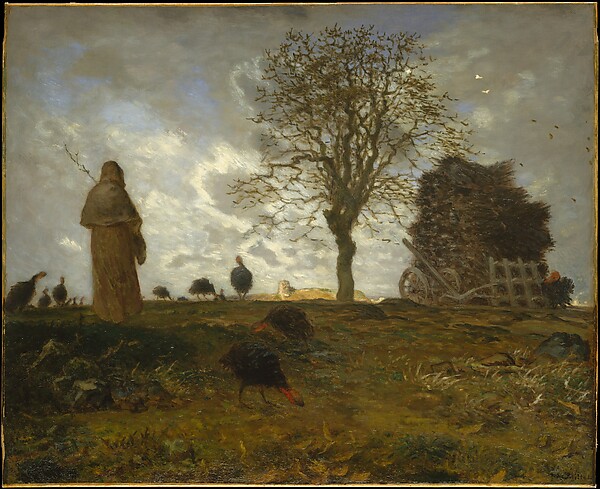
Keep all three JSON files together. Download the example cover into an artwork folder beside them. Its real hash and dimensions are already filled in below. The image is a public-domain painting from The Met; credits and setup notes are included. No audio is included.
track-artwork.json — a cover for one song
{
  "schema": "s2y.track-artwork.v1",
  "base_path": ".",
  "tracks": [
    {
      "fingerprint": "example:song-1",
      "artwork": {
        "file": "artwork/cover.jpg",
        "sha256": "94f349d7962f0472d0f8318af881c6426f12321966e97892894951f4519cc0d8",
        "mime_type": "image/jpeg",
        "width": 600,
        "height": 489
      }
    }
  ]
}
Download track-artwork.json. Replace the fingerprint with the exact value from your track when adapting this example.
playlist-artwork.json — a cover for a playlist
{
  "schema": "s2y.playlist-artwork.v1",
  "base_path": ".",
  "playlists": [
    {
      "name": "My Mix",
      "artwork": {
        "file": "artwork/cover.jpg",
        "sha256": "94f349d7962f0472d0f8318af881c6426f12321966e97892894951f4519cc0d8",
        "mime_type": "image/jpeg",
        "width": 600,
        "height": 489
      }
    }
  ]
}
Download playlist-artwork.json. Replace the name with your playlist's exact name when adapting this example.
Both examples reuse one image, but the track and playlist can use different files. For your own cover, update its path, SHA-256, MIME type, and dimensions together.
Descriptors require file, the original file's 64-character hexadecimal sha256, mime_type, width, and height. Codec checks the bytes, decoded type, and dimensions. JPEG/PNG only; maximum 12 MiB, 8192 pixels per edge, and 16,777,216 total pixels.
Original image bytes are retained; thumbnails are separate. Existing destination covers win; for new audio, valid external artwork wins over embedded fallback artwork. Inline descriptors take precedence over sidecars. Missing artwork does not clear covers; invalid artwork reports separately from valid music changes. Metadata URLs never trigger remote image downloads.
Download the track-cover schema and playlist-cover schema. Keep all three schemas together. Retain your original bundle, checksums, provenance, and verification documents: imports do not validate arbitrary audit files or preserve every source record in exports.
Import your collection
- Web/mobile web: Settings → Import music. Choose a ZIP, bundle folder, or manifest plus every referenced file. Imports go to your connected server.
- Native iPhone/iPad: refresh your connected library after import. There is no native bundle picker.
Browser and proxy upload limits apply to ZIPs. Review skipped files and artwork warnings even when a job finishes.
For large collections, a separate command-line tool can transfer missing audio files individually. Its source, build requirements and usage are in the optional import-tool reference.
Need a server first? Follow Hosting Codec. Implementation details live in the code reference.